Atlas: Building a Place to Learn, Not Just Read
The product and engineering decisions behind an interactive, bilingual learning platform.
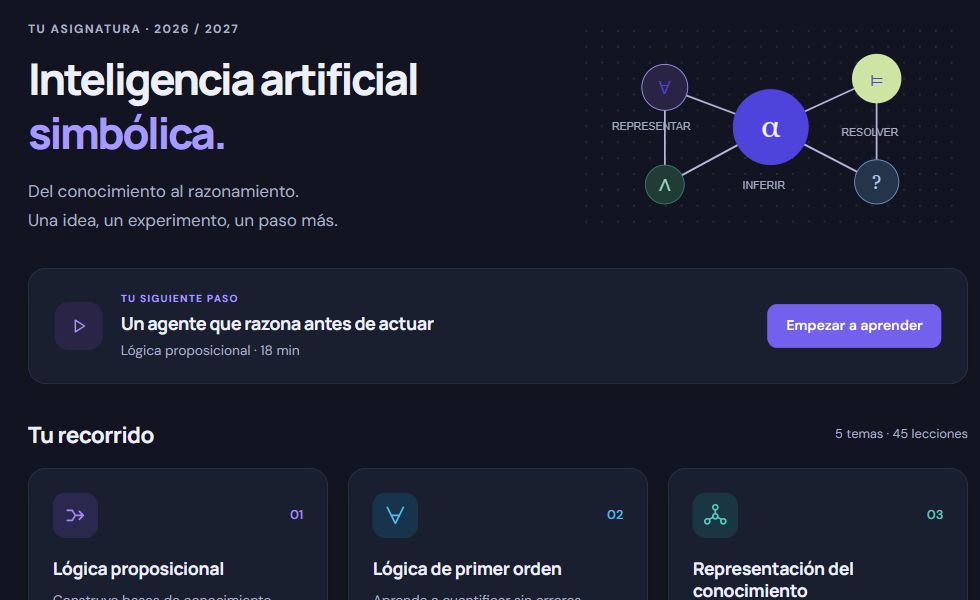
There is a big difference between reading an explanation of an algorithm and being able to work through one of its decisions. That gap is what I wanted Atlas to address.
The platform brings theory, worked examples, interactive laboratories, and guided practice into the same learning pathway. It currently covers symbolic AI, deep learning, and generative AI in English and Spanish. The first adoption figure is modest: 30+ unique users, based on the current reported count. I treat that as a reason to keep listening, not as a finished validation of the product.
A learning loop, not a folder of documents
Each lesson follows four stages: Understand, Explore, Solve, Check. The distinction matters because each stage asks the learner to do something different.
An explanation introduces the concept and a worked example makes the reasoning concrete. A laboratory then allows the learner to change an input and inspect the resulting states. Practice adds progressive hints and a reasoned solution. Explained questions and self-assessment give the learner another way to check their understanding.
This is not an automatic grading system for free-text answers. Written responses are drafts that learners compare with reasoned solutions. The interface should make that distinction clear rather than pretending that a completion marker proves mastery.
Experiments need actual engines
A simulation should be more than an animation with an impressive label. When a learner changes an input, the numerical or logical process needs to change with it. Intermediate states must be inspectable, and the limits of the experiment need to be explicit.
In Atlas, subject-specific simulation engines are isolated from the shared account and content layers. That separation makes it possible to test a calculation independently from the interface that displays it. It also stops a new course from becoming a new application with its own authentication and progress logic.
The architecture is intentionally modular:
course manifest + bilingual lesson content
  -> shared learning views
  -> isolated simulation engine and visual adapter
  -> account-owned progress and preferences
The current catalog contains 157 lessons and 26 interactive laboratories. Those are a snapshot of the content, not a promise that every topic imaginable is already covered.
One platform, not one app per subject
The common shell owns navigation, language preferences, profiles, feedback, and the learning components. Courses own their curriculum. Simulation plugins own the scientific calculations they need.
This creates a useful constraint: adding a subject should reuse the existing platform rather than introducing another set of settings, hints, menus, or profiles. Stable lesson identities preserve progress when content evolves. Spanish and English need to agree on identities and numerical meaning even when their prose differs.
Saving is part of the product
Google sign-in creates or retrieves a private cloud profile. Supabase provides authentication and the database-backed profile layer; the verified account identity, not a display name or browser cache, determines ownership.
Language, preferences, drafts, and progress belong to that account. Browser persistence serves as an internal cache. The difficult part of synchronization is not displaying a saved icon: it is preserving pending work and making failures and session changes understandable.
I wanted the normal learning experience to avoid a collection of decisions about local versus cloud storage. A learner should be able to return to their own work without having to understand the implementation underneath it.
Learning from use without collecting the learning itself
Usage telemetry and deliberate feedback have different purposes. Minimal events can help identify where the product is used; a deliberate report can explain where a lesson or interaction needs work.
The analytics pipeline uses Supabase Edge Functions and PostgreSQL. Analytics identities are separate from account ownership. Names, profile photos, written answers, drafts, and account credentials do not belong in those events. Existing opt-out preferences and Global Privacy Control also matter. A default preference should never be described as explicit consent.
The useful next question
Atlas is live, but its first users do not make it a finished product. The question I care about is whether the learning experience is clear, whether the experiments help someone reason, and where the platform gets in the way.
That is the work I want to keep documenting: specific decisions, what the implementation actually does, and what changes after people use it.